P2P vs Cloud: Where Does Your Home Video Actually Go?
April 7, 2026
A live camera stream can reach your phone directly, pass through an encrypted relay, or be handled by the provider’s streaming server. Those paths differ in what the provider handles and what you need to trust.
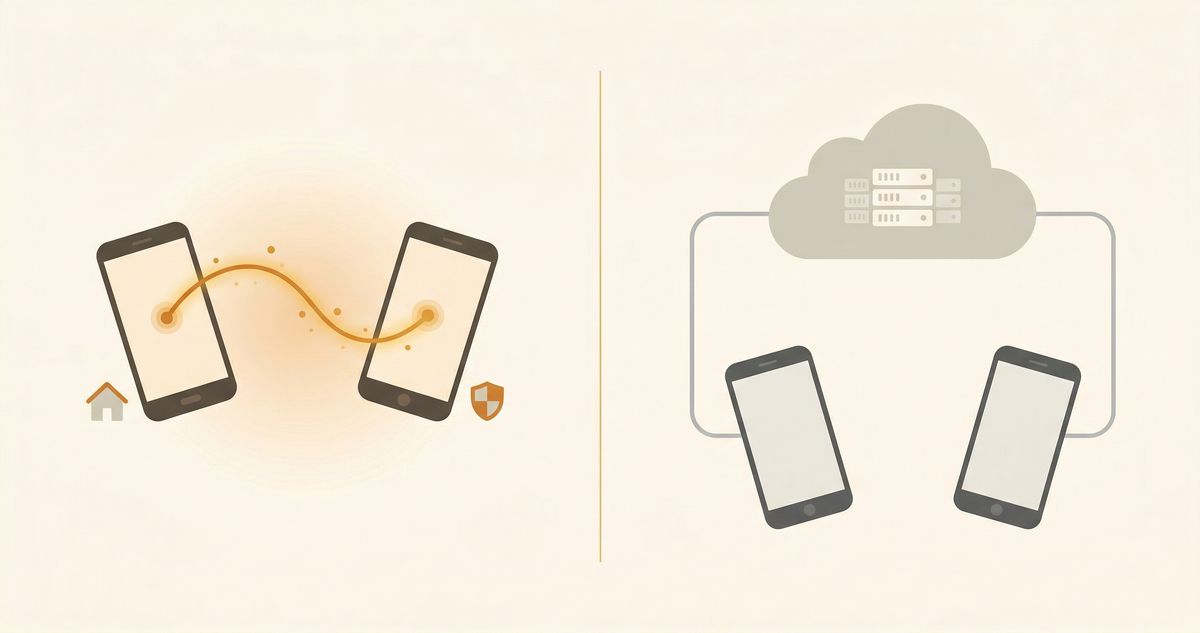
Cloud Streaming: Your Video Takes a Detour
With cloud streaming, your camera encodes the video and sends it to a company's server. That server then relays it to your phone. Everything passes through infrastructure you don't control.
Most developers take user security seriously. But as long as video passes through a third-party server, unauthorized access is structurally possible: internal personnel, external attacks, or system vulnerabilities. This is a property of cloud architecture, not a judgment on any specific company.
Another often-overlooked detail is the terms of service. Many apps include language like "we may use aggregated data to improve our services." What "aggregated data" covers is worth reading carefully before you tap "Agree."
P2P Streaming and Encrypted Relays
WebRTC first tries an encrypted connection between the camera and viewer. If the networks block a direct path, a TURN server can relay encrypted packets without reading the video.
With end-to-end encryption, the provider cannot read the video in transit, including when a TURN relay carries the packets.
Side by Side
| Pure Cloud | P2P | |
|---|---|---|
| Video path | Camera → Company server → Your phone | Camera → Viewer, sometimes through an encrypted relay |
| Third-party access | Theoretically possible | Depends on encryption and key handling |
| Server breach risk | Centralized target | A relay may be present; video remains encrypted |
| Latency | Higher (extra hop) | Varies by network path |
| Offline use | No | Depends on app design |
| Recording storage | Depends on storage design | Depends on storage design |
The Business Logic Behind Each Model
Streaming through a provider’s server uses its bandwidth. Storing recordings there adds storage costs.
Direct P2P connections can reduce server bandwidth costs. An app may still charge for backup, longer history, or advanced detection.
Where Cloud Services Help
Cloud services can help with:
- Theft protection. If a camera device is stolen, local recordings go with it. Cloud recordings survive the event.
- Multi-user access. Sharing access with family members or a property manager is generally simpler with cloud-managed accounts.
- Server-side AI. Facial recognition, license plate reading, and other compute-heavy tasks are easier to run in the cloud than on-device.
A hybrid setup uses P2P for live view, stores recordings locally, and adds cloud backup when off-site copies matter.
On-Device AI
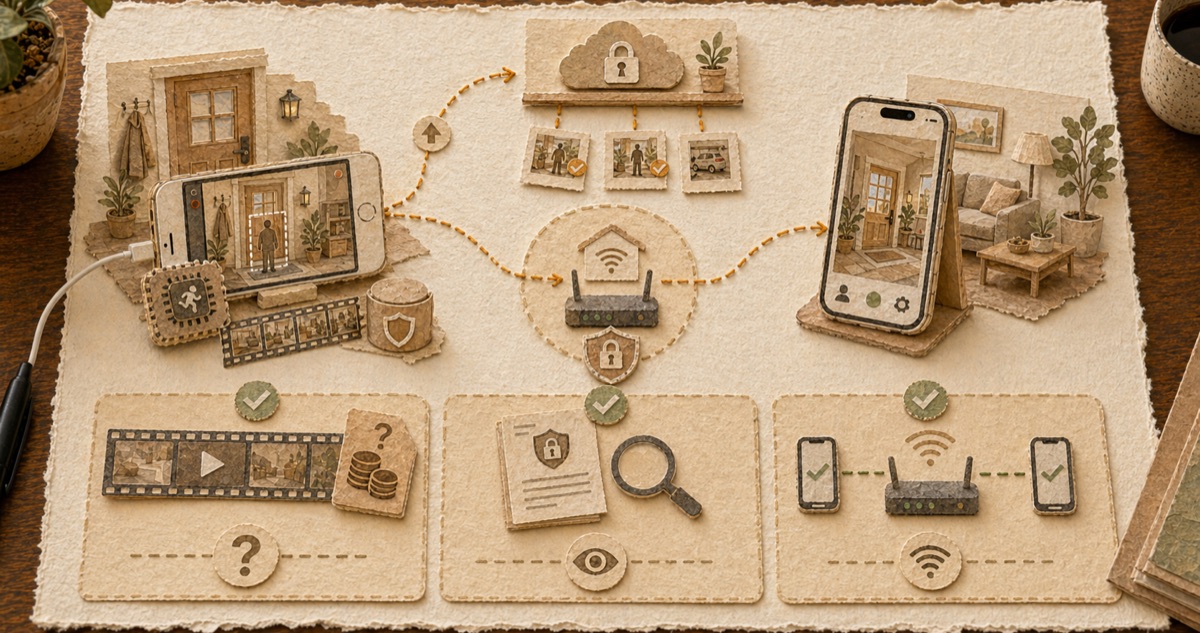
Cloud-based detection sends video frames to a provider’s server for analysis. On-device detection processes them on the camera phone.
Apple's Core ML can run person detection on the iPhone. Oriel processes detection on the camera device, encrypts live video in transit, and stores recordings locally unless backup is enabled.
Three Questions to Check Your Current App
- Where are recordings stored? Check whether clips stay on the camera device, go to the provider’s cloud, or use storage you control.
- What does the privacy policy say about video processing? Look specifically for language about frames, thumbnails, or analytics derived from video.
- Can you view your camera on the same Wi-Fi with no internet? If yes, the app supports direct local connections. That's a good sign about how it handles video routing.
FAQ
Can I view a P2P camera remotely?
Yes. WebRTC establishes encrypted connections across different networks, including cellular and home broadband. You can view your camera from anywhere with internet access.
Does P2P work without internet?
If both devices are on the same local Wi-Fi network, yes -- the connection stays entirely local and no data leaves your home network. This also means your camera continues working during internet outages as long as both devices share the same Wi-Fi. Push notifications and remote viewing from outside the network require internet connectivity.
Why don't all apps use P2P?
P2P networking is more complex to implement correctly. NAT traversal, network compatibility, and connection fallback all require significant engineering effort -- the WebRTC specification alone covers hundreds of pages of protocol handling. Cloud architecture is simpler to build and scale. It also enables cloud storage subscriptions as a revenue stream, which changes the business model incentive toward keeping footage on company servers.
* Oriel uses WebRTC for direct encrypted connections. In some network environments (e.g., symmetric NAT), connection may relay through an encrypted TURN server. That server handles only encrypted packets and cannot decrypt, access, or store video content.