Help Center
Motion and Person Detection
How motion events and on-device person checks work together.
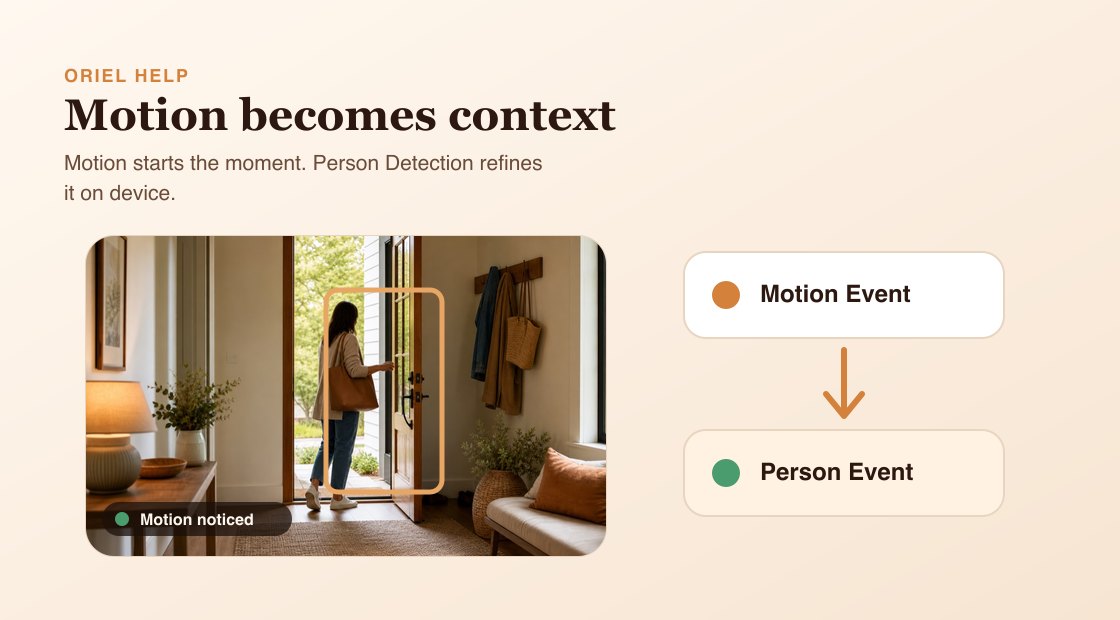
Short answer
Motion Detection looks for meaningful changes in the camera image. Person Detection checks whether the movement includes a person when the feature is available and enabled.
How it works
Oriel uses motion as a first check before running person detection. This helps the Camera device avoid running AI on every frame. If a person is found during an active motion event, Oriel can treat that same recording as a person event instead of creating a duplicate.
Requirements
- Motion Detection enabled for motion events.
- Person Detection enabled when you want person alerts.
- Person Detection requires Premium and iOS 15 or later on the Camera device.
Setup steps
- Open the selected Camera device settings from Viewer mode.
- Turn on Motion Detection.
- Turn on Person Detection when supported.
- Check recent events to confirm alerts match what you expect.
Common misunderstandings
- Person Detection is separate from Motion Detection.
- Person Detection does not analyze your video in the cloud.
- Detection boxes are visual feedback, not the source of event history.