Help Center
Low Light
What Low Light improves, and what it does not promise.
Short answer
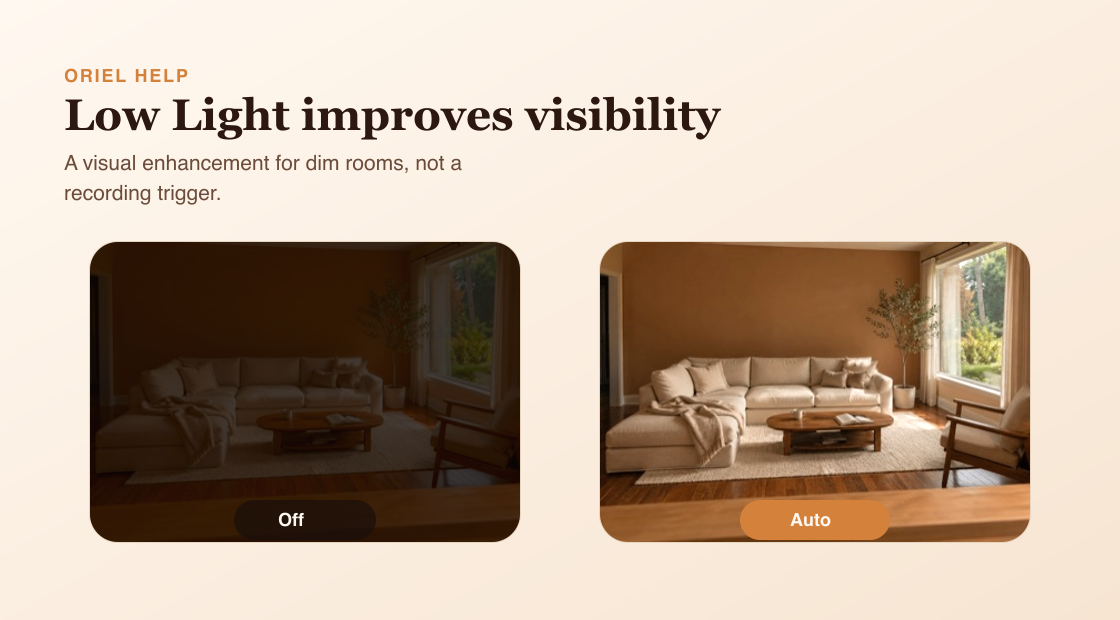
Low Light helps the camera show a clearer image in dark scenes. It improves the image before streaming or recording, but it does not trigger recordings by itself.
How it works
In Auto mode, Oriel watches scene brightness and turns enhancement on when the image is dark. In On mode, enhancement stays on. In Off mode, enhancement is disabled. In very dark scenes, frame rate may be lower so the camera can gather more light.
Requirements
- A supported Camera device.
- Enough ambient light for the camera to improve the image.
- Stable placement so the camera can adjust without frequent framing changes.
Setup steps
- Open Camera settings.
- Choose Auto, On, or Off for Low Light.
- Preview Live View in the room at the time of day you care about.
- If the scene is too dark, add a small room light rather than expecting total darkness visibility.
Common misunderstandings
- Low Light is not a separate detection feature.
- Low Light does not create events by itself.
- Low Light does not promise clear visibility in total darkness.